
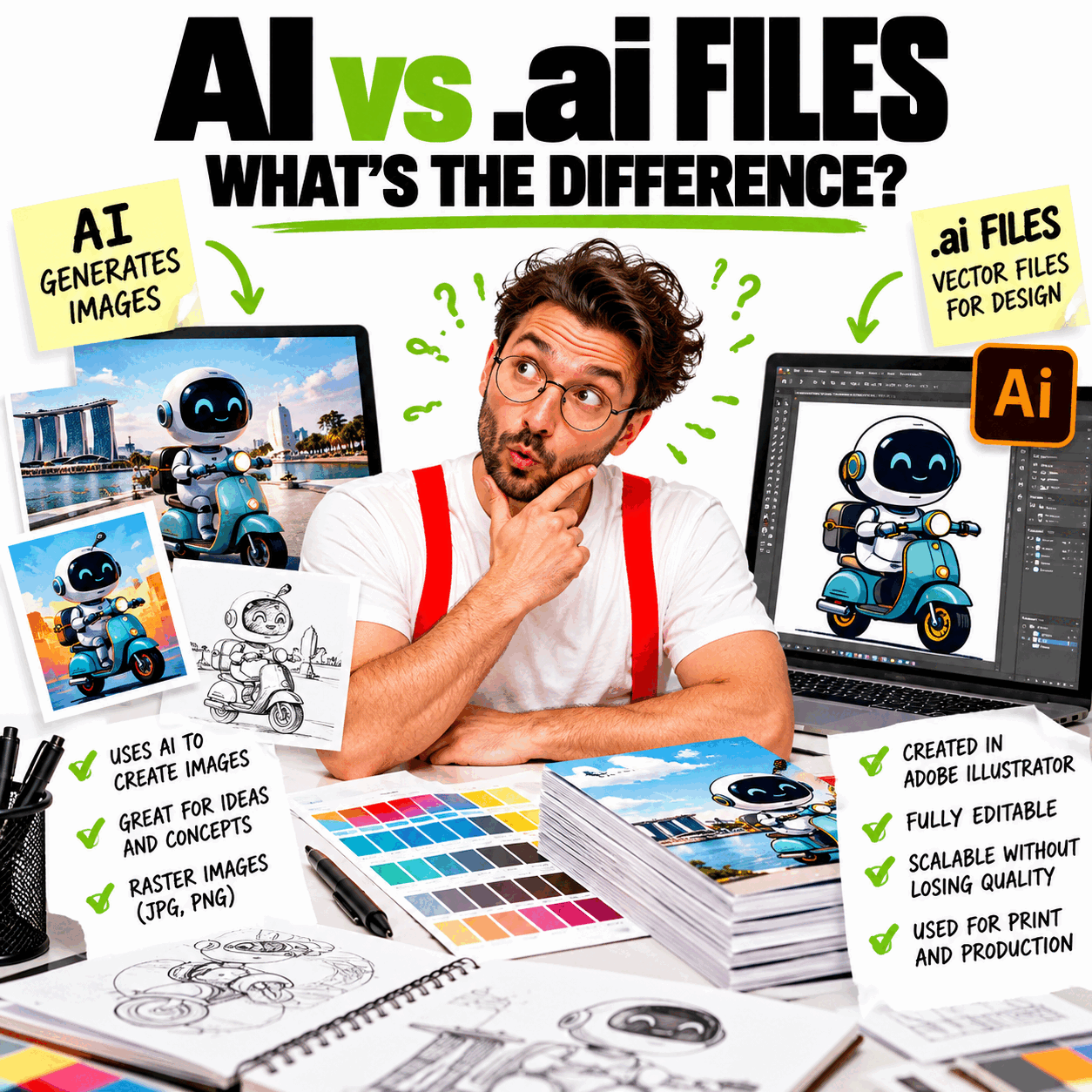
A recent phone call reminded us that “AI” can mean very different things to different people.
The caller thought her printer was asking for artwork generated by Artificial Intelligence. In reality, the printer was simply requesting the original Adobe Illustrator (.ai) file.
It gave us a smile — but it also reminded us how easily the two can be confused today. More importantly, it highlights an increasingly common challenge: knowing the difference between AI-generated artwork and artwork that is actually ready for professional printing.
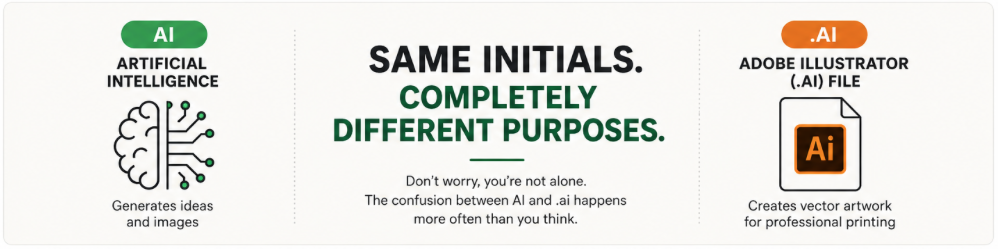
When your printer asks for an AI file
If your printer requests an AI file, they are referring to an Adobe Illustrator (.ai) file, the native file format created by Adobe Illustrator, one of the industry’s standard applications for producing vector artwork.
Vector artwork within these files can remain fully editable and can be enlarged to virtually any size without losing quality.
In short: Your printer is asking for an Adobe Illustrator (.ai) file — not artwork created using Artificial Intelligence.
What exactly is a .ai file?
An .ai file is Adobe Illustrator’s native file format.
Unlike JPEG or PNG images, an Adobe Illustrator (.ai) file can contain vector artwork made up of mathematical paths rather than pixels. This allows logos and other vector graphics to remain perfectly sharp whether reproduced on a business card or a ten-metre billboard.
Professional printers often prefer .ai files because they can contain or support:
- Editable vector artwork
- Scalable graphics without quality loss
- Editable text
- Layers
- Spot colours where required
- Accurate dimensions
- Bleed and production specifications
Can Artificial Intelligence generate print-ready artwork?
Artificial Intelligence has become an excellent tool for brainstorming ideas, generating concepts, and creating illustrations.
However, AI-generated artwork is often exported in formats such as PNG, JPEG, or WebP. These are typically raster image files rather than editable vector production artwork.
For many commercial printing applications, additional work is still required before the artwork is ready for production.
This may include:
- Vector recreation
- Colour correction
- Typography adjustments
- Image resolution checks
- Bleed setup
- Cutting guides
- Production quality control
AI vs .ai — what’s the difference?
| Artificial Intelligence (AI) | Adobe Illustrator (.ai) |
|---|---|
| Generates ideas and images | Can contain editable vector artwork, text, and raster images. |
| Supports concept development and creative exploration | Supports professional artwork production |
| Often exports PNG, JPEG, WebP, or other image formats | Native Adobe Illustrator format |
| Useful for ideation and visual exploration | Widely used for professional artwork preparation |
| Output is not automatically production-ready artwork | Supports professional print-production workflows |
Why vector artwork matters
Many business owners only have a PNG version of their logo instead of the original vector artwork.
PNG files can become blurry or pixelated when enlarged beyond their effective resolution, particularly for applications such as:
- Signage
- Vehicle graphics
- Event backdrops
- Large banners
- Exhibition panels
- Building directories
Professionally prepared vector artwork eliminates this limitation and provides greater flexibility for future applications.
What if you don’t have the original .ai file?
The good news is that you don’t need to panic.
Many businesses only possess:
- PNG
- JPEG
- SVG
An SVG file is also vector-based and may sometimes be suitable, depending on the intended application. Likewise, some PDF files may contain usable vector artwork.
Depending on the quality of the existing artwork, it is often possible to recreate the logo or redraw it into a professional vector format suitable for future printing and other applications.
Frequently asked questions
Why can’t my printer just use my logo from my website?
Website logos are usually optimised for screen viewing and fast loading. They may be too small or compressed for high-quality commercial printing.
Wherever possible, printers prefer the original vector artwork or Adobe Illustrator (.ai) file.
Can I print from a PNG file?
For some applications, yes — provided the image has sufficient resolution at the required reproduction size. For larger applications such as signage, exhibition graphics, or large-format printing, professional vector artwork is generally preferable.
Is a PDF the same as an AI file?
Not always. Some PDFs contain editable vector artwork, while others contain raster images or flattened artwork saved within a PDF. Your printer or designer can usually determine whether the PDF is suitable for the intended production process.
Can Canva export Adobe Illustrator files?
Canva can export formats such as PDF, PNG, JPG, and SVG, depending on the available export options, but these are not the same as a native Adobe Illustrator (.ai) file.
Can ChatGPT or AI tools generate Illustrator files?
AI tools can generate concepts, illustrations, and other creative assets, but AI-generated output should not automatically be assumed to be production-ready Adobe Illustrator artwork. Professional artwork preparation may still be required before commercial printing.
The right tool for the right purpose
Artificial Intelligence is rapidly changing how creative ideas are developed, while Adobe Illustrator remains one of the industry’s important tools for professional artwork production.
Rather than replacing one another, Artificial Intelligence and Adobe Illustrator serve different but complementary roles in today’s creative workflow.
AI can accelerate ideation and inspiration. A designer can then use Illustrator to turn those ideas into accurate, scalable artwork suitable for professional production.
At JAB Design, we believe technology should enhance creativity — not replace good design judgement.
Whether artwork begins with a sketch, Artificial Intelligence, or an existing logo, it should always end with professionally prepared, print-ready artwork that is fit for purpose.
If you’re unsure whether your vector artwork or Adobe Illustrator (.ai) file is suitable for printing, speak with JAB Design.
Tell us about your artwork or project, and we’ll help assess what you have and recommend the most appropriate solution before production begins.
Related Reading
- Logo Design Singapore
- RGB vs CMYK: Why Colours Look Different on Screen and in Print
- Design Project Onboarding Checklist
- How to Brief Your Creative Agency
- Custom Design Packages
Explore Our Case Studies
Identity & Branding
Food from the Heart — Clean Plate Campaign
Graphic, Interactive & Environmental Design
Singapore Airlines — Service Standards
Copywriting, Editorial & Publishing
Singapore Memory Project — Memory Kit
Campaign Development & Management
Road Safety for the Elderly
More About What We Do
Our creative expertise spans four core disciplines:
Need help? Tell us about your project — email us or use our contact form.

